Dates
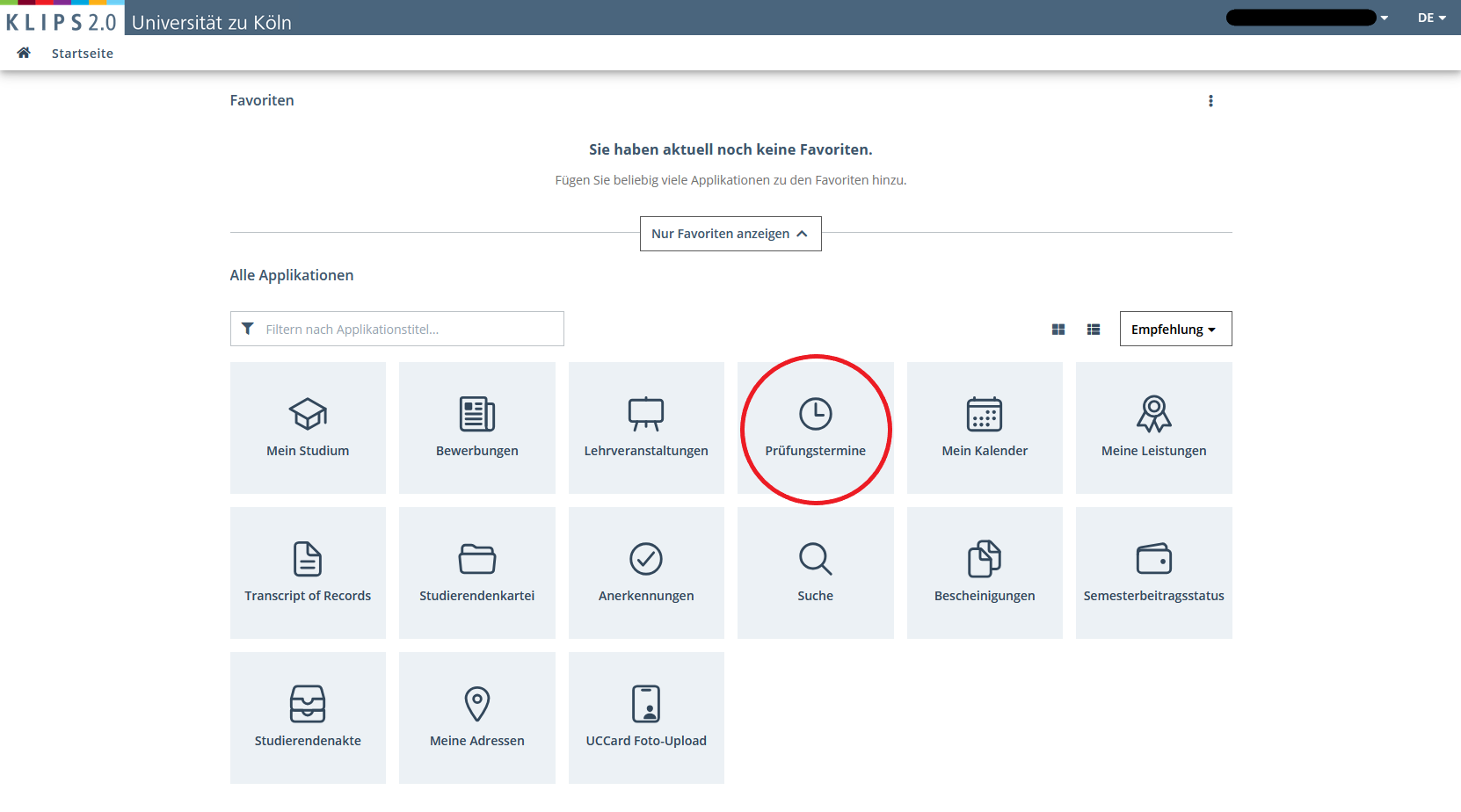
Exam dates can be found under the corresponding tab on the homepage.
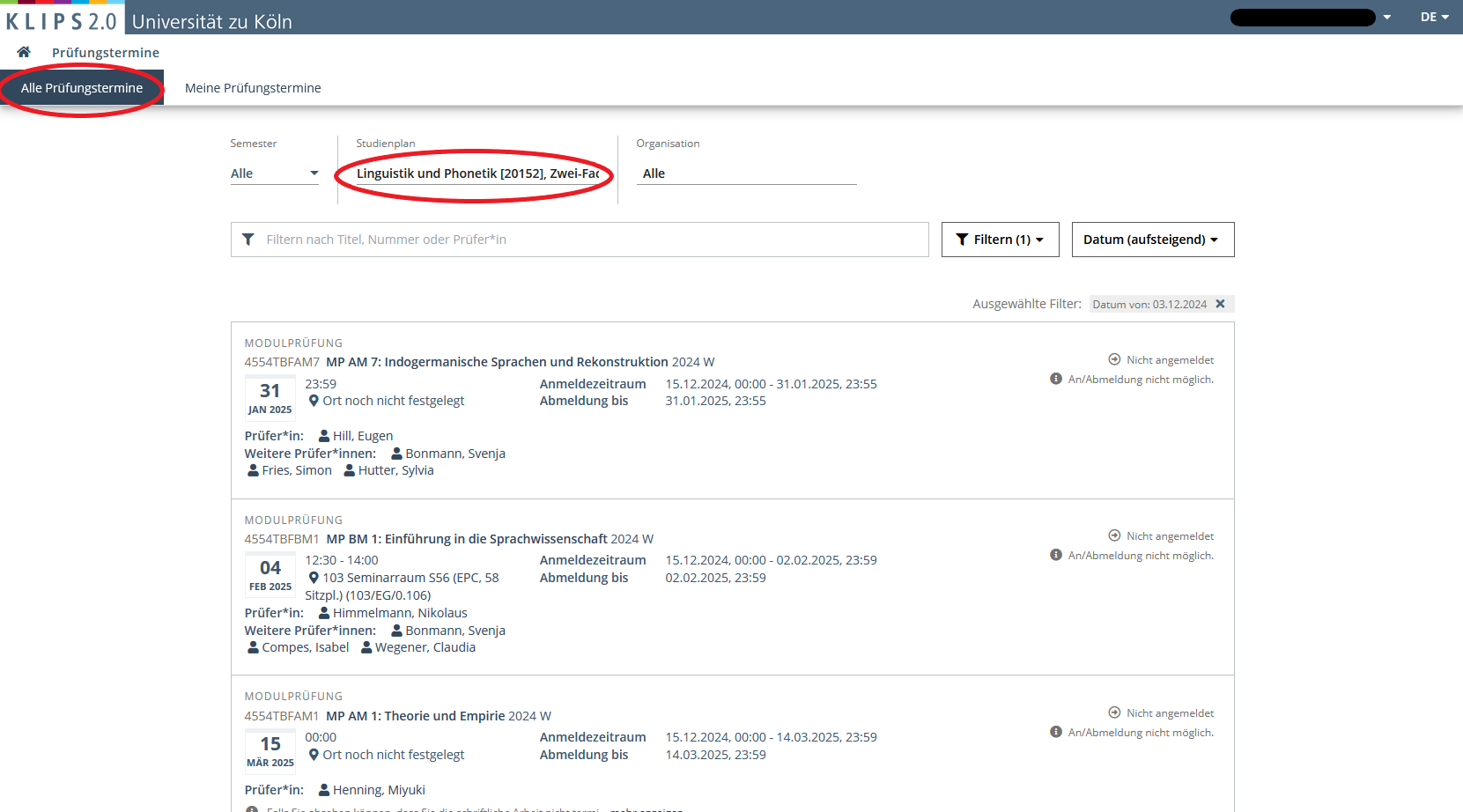
If you select All exams, you will be shown all exams for which you can register in the corresponding registration period. You can use the filter options at the top to search for specific exams, for example all current exam dates in linguistics and phonetics or exams from previous semesters. This is relevant, for example, if you want to write a term paper in a course that you took in a previous semester.
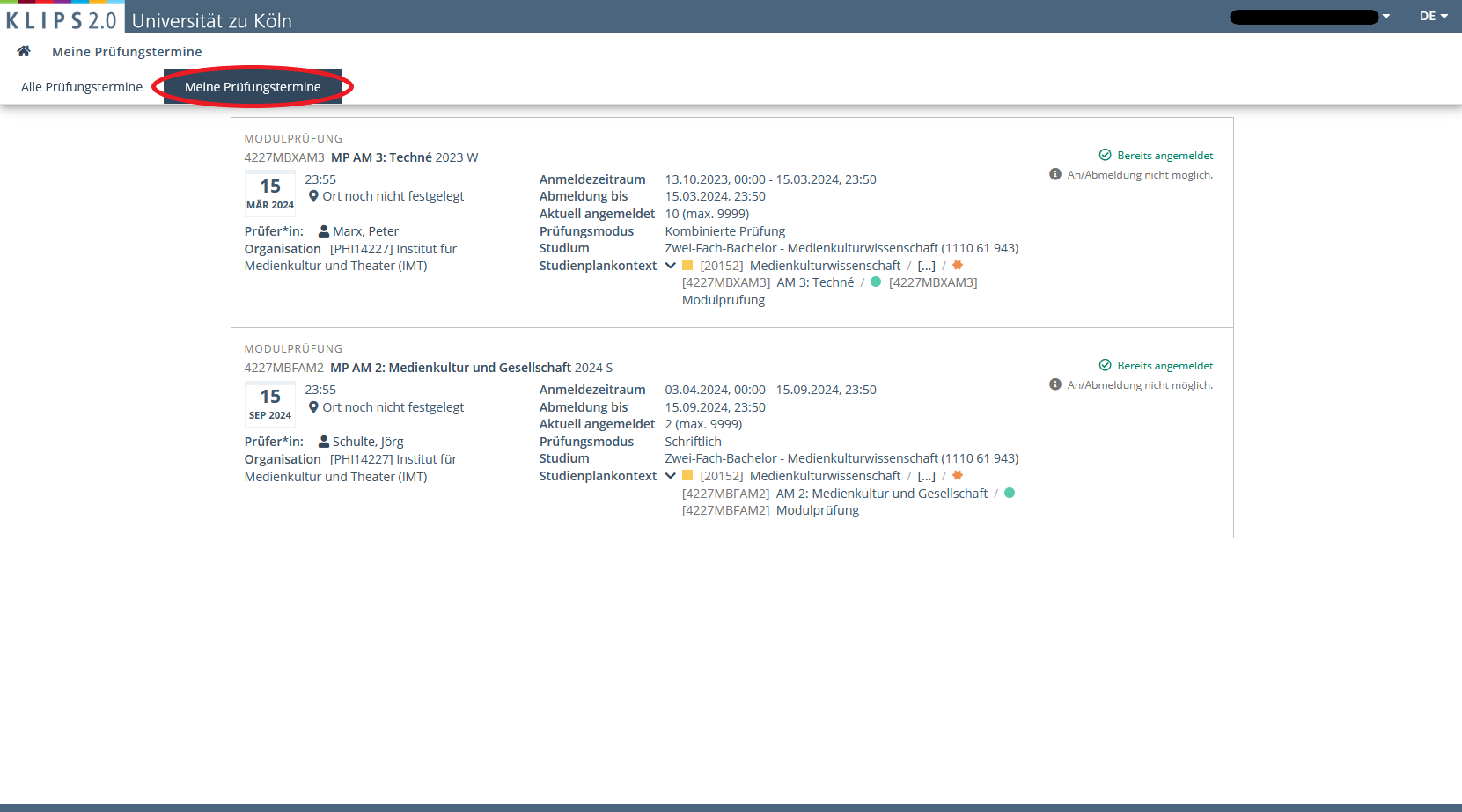
Under My exams you will find all exams for which you are already registered. You usually have to register for exams yourself, but sometimes you are automatically registered for the exam as a course participant in a particular course and then only have to deregister if you don't want to take the exam after all.
Registration/Deregistration
As soon as the registration for exams is activated, you can register for the exam or a specific exam date under Exam dates\All exams by clicking on Go to exam registration.
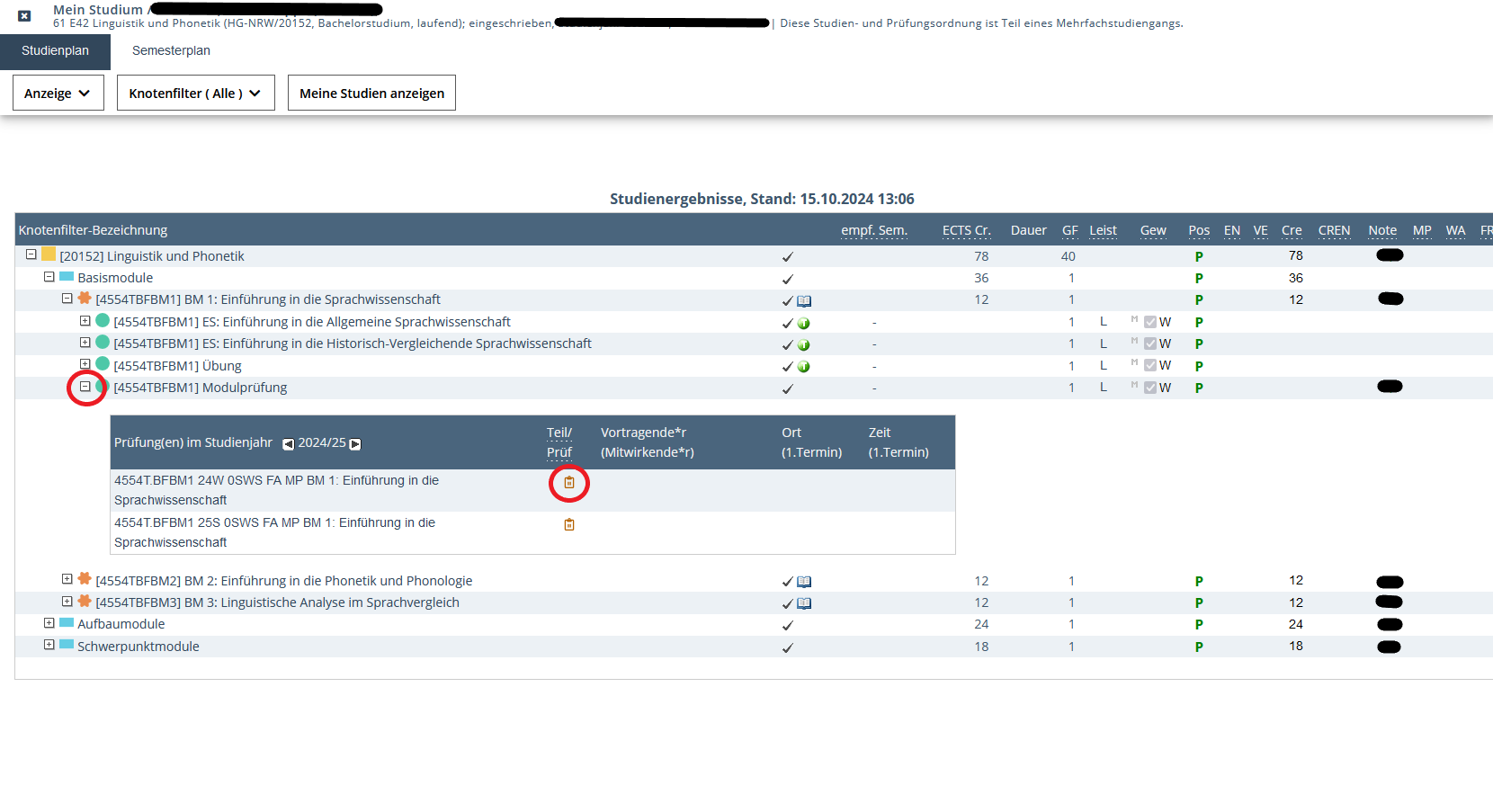
Alternatively, you can find the examination dates relevant to you via the module and course overview in My Degree Programme. You select the desired module and click on Modulprüfung. Two options will appear, one usually belongs to the last semester and one to the current semester. A red cross in the second column means that enrolment is no longer possible. If the symbol is orange, this means that you cannot register yet. A green arrow indicates that you can now register for the module examination. Clicking on the green arrow takes you to the selected examination date in the overview under Exam dates\All exams and you can then register there again via Go to exam registration.
Important: Please note the deadlines, which may vary depending on the department! If you can foresee that you will not finish your term paper on time, cancelling the exam in good time will have no consequences. If you miss the deadline, you will be deemed to have failed the exam.